Those working under high concentration know very well how quickly focus can fade away. You might be in the middle of a task, finally getting a general view of the idea, when a minor matter diverts your attention and reduces productivity. A coworker’s random message or someone walking up behind you might be the cause.
None of these moments feels dramatic, yet they break the mental pace you were building, and it takes more energy than most people realize to get back to that point. A simple availability cue can create a small but meaningful boundary. It can help people understand when you are fully engaged and when it is actually a good time to talk.
Read on as we demonstrate how Busylight helps reduce the interruption cycle that makes focused work harder than it needs to be.
7 Distractions That Impact Productivity
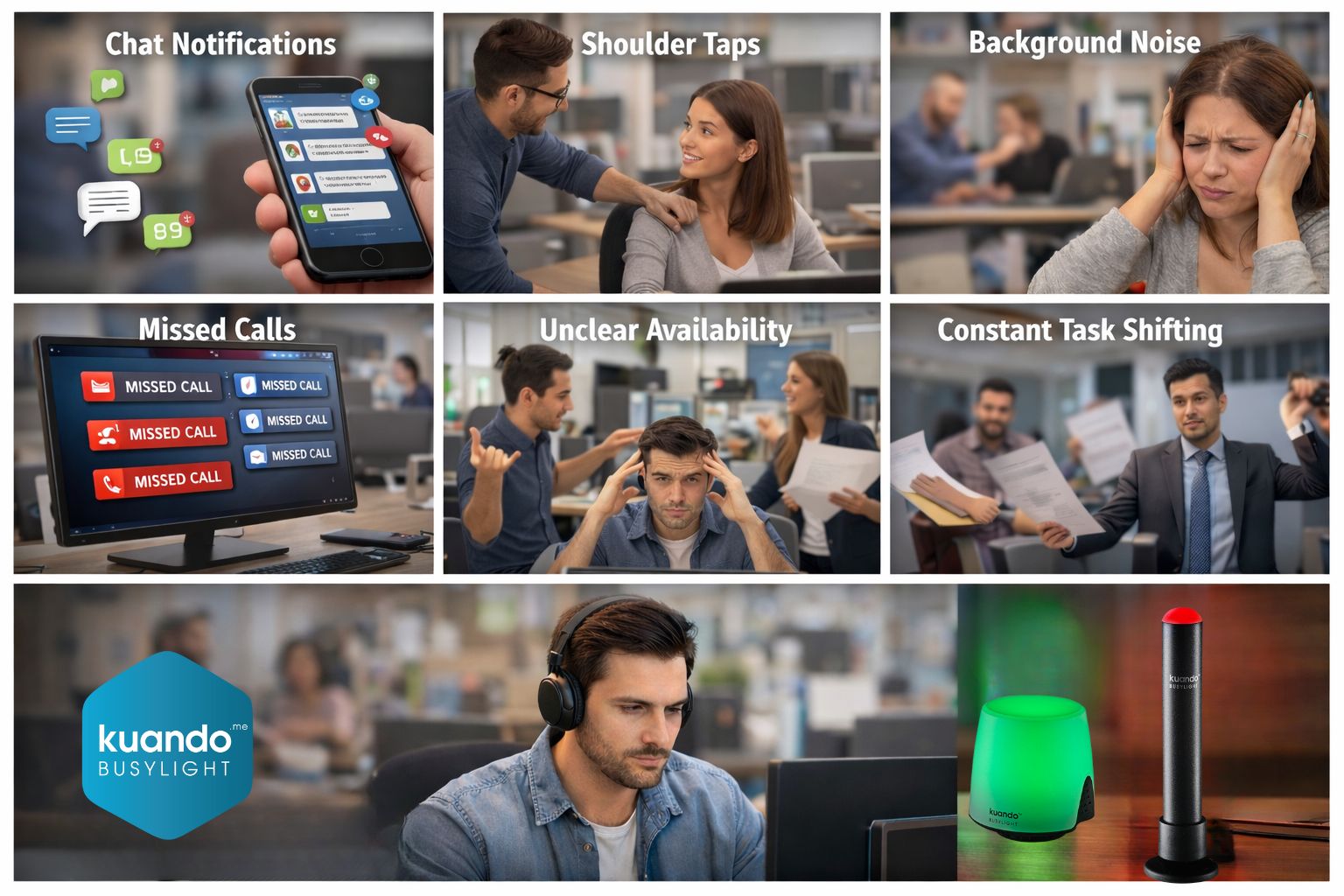
Disruptions originate from numerous sources. Some of them come subtly while others come in a very obtrusive way, but no matter the case, they all take your focus off the thing you had in your mind. Here are seven distractions that affect productivity and attention:
- Chat notifications: When a message emerges from the bottom of the screen, it is sure to dilute focus. The brain briefly turns its attention to the notification, causing distraction for activities that need quiet mental space. Now imagine if you could reduce unnecessary pings? Busylight’s “Do Not Disturb” feature signals coworkers to hold non-urgent messages.
- Shoulder taps: When coworkers need some information, they are likely to approach without hesitation. That short interruption can erase the mental structure being built during focused work. Busylight’s red status can clearly display if an employee is unavailable, preventing in-person interruptions.
- Background noise: The mix of conversations, footsteps, and small office sounds diverts the mind away from deep thinking. It can break the rhythm of work that requires a quieter mental space. Pairing Busylight with noise-canceling tools or quiet zones can help maintain a stable, distraction-free environment.
- Missed calls: Many people silence their speakers to have fewer distractions; however, this creates a different problem. Missing a meeting reminder can cause employees to go into a catch-up mode, thus interrupting the flow they were in. Built-in ringers can help receive call and meeting alerts without needing computer speakers.
- Unclear availability: Status icons inside communication apps are not always enough. When coworkers are unsure of availability, they ping or approach anyway, creating avoidable interruptions. Busylight’s color-based presence indicator make status instantly visible across the room.
- Mental drag: Once focus breaks, the restart is slow. The brain must rebuild context, and even simple tasks start feeling heavier than they should until you find your rhythm again. Protect focus blocks with Busylight’s busy status to minimize interruptions and reduce the need to restart tasks.
- Constant task shifting: If people assume coworkers are always available, they cause them to jump from one task to another instead of concentrating on one. Use Busylight to set clear boundaries, helping others understand when you’re focused and shouldn’t be redirected.
How Busylight Ensures Focus
Busylight helps reduce these daily interruptions by making availability visible at a glance. It allows coworkers to know when to approach and when not to disturb. This simple change leads to fewer interruptions, calmer workdays, and a more organized workflow.
Here’s how it does that:
- Color-based Status Indicator: Busylight connects to Microsoft Teams, Zoom, and Skype for Business, and many other platforms, changing the color of the light based on the current status. The moment an employee goes into a meeting, the light turns red. As soon as they are done, it turns green.
- Built-in Ringer: Busy light acts as a perfect replacement for speakers, with a built-inThe ringer function that can notify users of calls and meetings. even if speakers are turned off. This type of scenario frequently arises in busy offices where employees want to reduce noise levels but inadvertently miss critical alerts in the process.
- Seamless Installation: Busylight can be used outside of a meeting room, on top of a monitor, or on a desk. SinceBecause it requires a simple setup and integrates seamlessly with the current tools, teams can implement it across the entire organization. For IT departments, setup is even easier: Busylight follows standard corporate IT policies, works with approved deployment methods, and requires no complex configurations, IT teams can easily install it without disrupting existing infrastructure.
- {TALK ABOUT ease to setting up by IT people within the policies of the company}
Conclusion
People often assume someone is free simply because they can see them, and that assumption destroys focus. Such workplace interruptions are preventable once availability becomes visible.
Busylight solves this by giving each person a clear signal that others can understand without needing to ask. This small availability light uses color to show whether someone is busy, available, or away. It reduces shoulder taps, prevents missed calls, and supports deeper concentration throughout the day.
When teams rely on visual clarity instead of guesswork, everyone works with more respect and less distraction. Are you ready to improve workplace productivity and efficiency? Learn how we can help!
FAQs
How does Busylight work as an audiovisual indicator with communication platforms?
As an audiovisual indicator, Busylight provides more transparent and efficient team collaboration by integrating with Zoom, Microsoft Teams, and Skype for Business, and many other UC platforms.
What does the red light on Busylight signal?
Red light alerts colleagues when you are preoccupied or attending a meeting, preventing them from interfering and saving productivity at work.
How does Busylight improve team communication and office productivity?
As the ideal replacement for speakers, Busylight prevents missed calls or meeting alerts when your speakers or headset are muted, ensuring consistent team communication and supporting a productive workplace.

Leave a Reply